Features
PlatePilot is an iPhone app built around one bet: if logging a meal is fast enough, you’ll actually do it. Everything except photo analysis works offline.
Photo meal entry
Capture with the camera or pick an existing photo. The image goes to PlatePilot’s analysis service, which returns a structured, multi-item estimate: what it thinks is on the plate, roughly how much of each, and the resulting calories and macros.
- Every item, portion and number is editable before you save.
- Items you didn’t eat can be removed; missing ones can be added from the catalogue.
- Results are labelled as estimates throughout — including the uncertain ones.
- If the network is down or the service is unreachable, you get a clear error and a retry, and manual entry still works.
Today — the day-rhythm screen
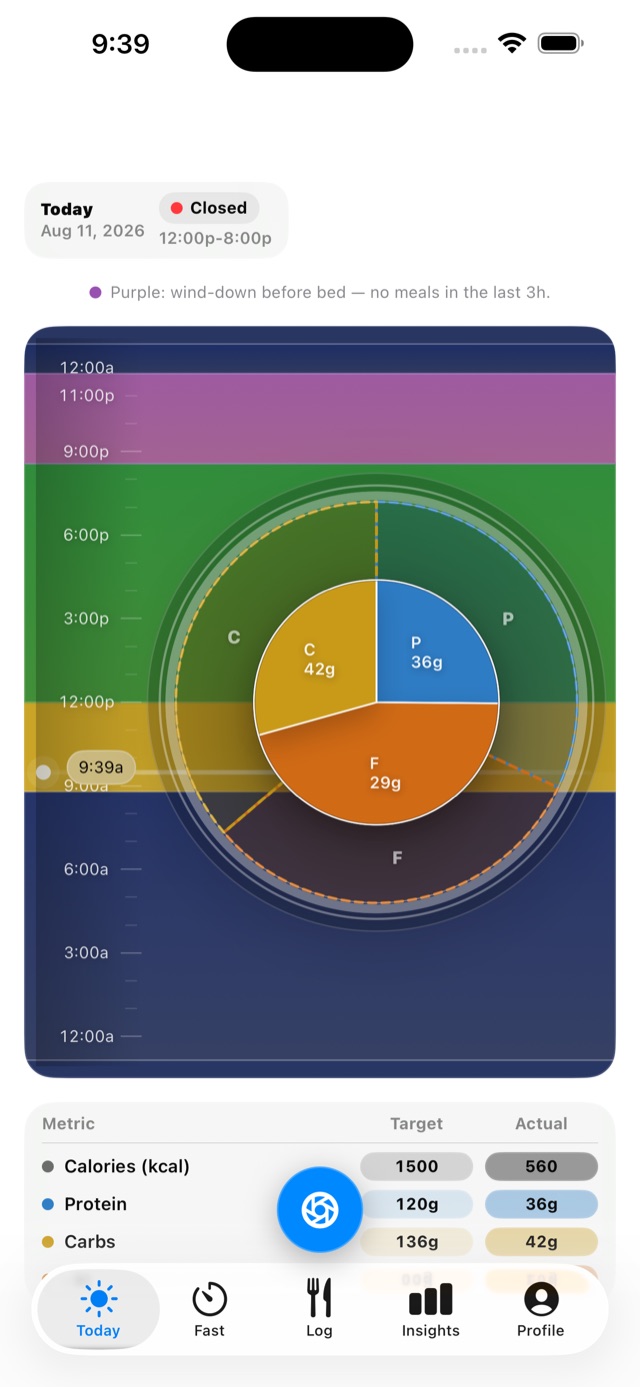
The home screen is a 24-hour ring of your day rather than a wall of numbers: sleep, wind-down, awake and eating-window segments with a now-line marking the current time. Around it sit your calories and macros against target.
- Answers “where am I in my day, and where am I versus target?” at a glance.
- The camera control is always visible — logging is never more than a tap away.
- Light and dark appearance, built on iOS 26’s native look.
Food log and search
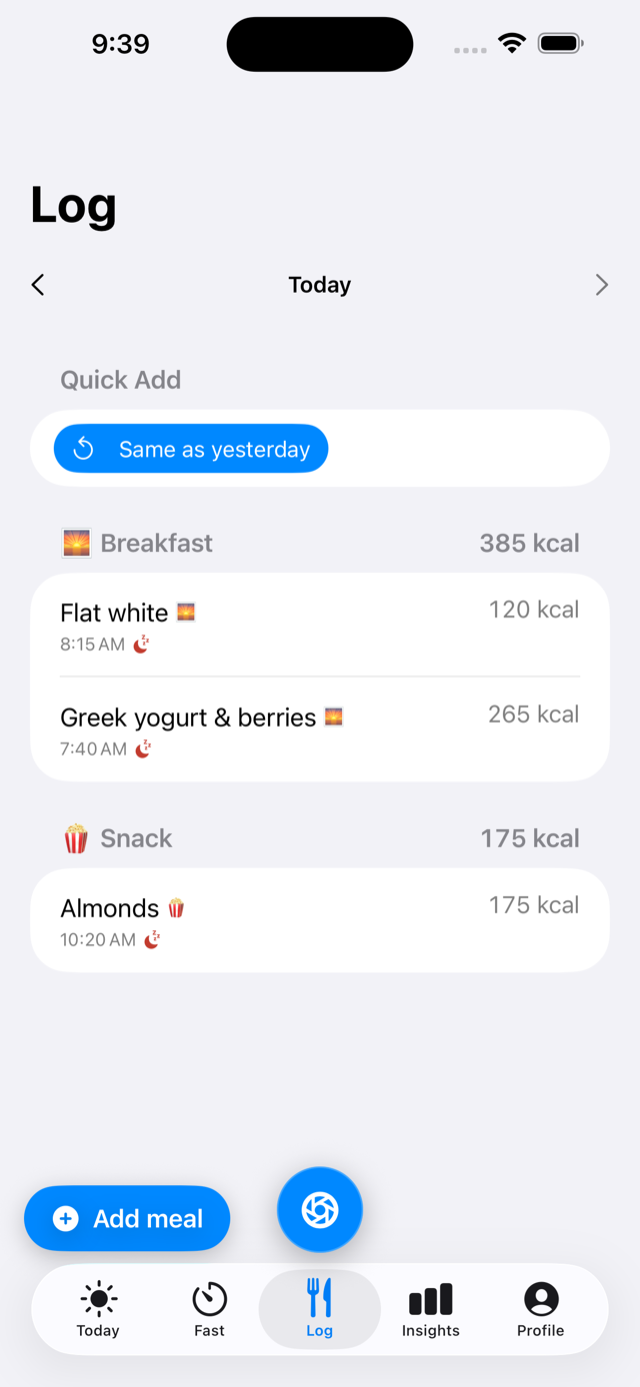
- Your day, grouped by meal type, with swipe actions to edit or delete.
- Favourites and “same as yesterday” for meals you repeat.
- A bundled catalogue of roughly 55,000 foods, searched entirely on-device.
- Manual entry for anything the catalogue doesn’t have.
Eating window and hydration
- Start and end a fast with a goal duration and a progress ring.
- Log water and other drinks against the same timeline.
- Conservative wording throughout: the app reports time since your last logged calories and the eating window implied by your logs. It does not claim to know your physiological state.
Insights
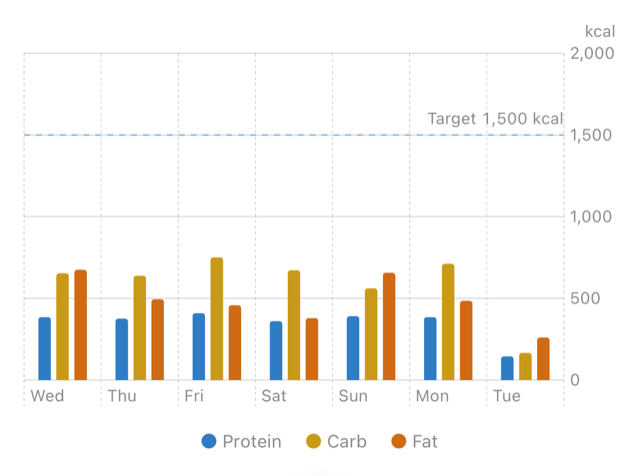
Stacked macro bars against your target line, with a day / week / month range switcher, drawn with Swift Charts. Enough to notice a trend; deliberately not a dashboard.
Goals and targets
Calorie and macro targets are derived from your goal setup and schedule using the app’s own nutrition heuristics, with protein expressed as a range rather than a single number. Defaults are seeded so the app is meaningful before you’ve configured anything, and every target can be overridden.
Apple Health
Optional and off by default. With your permission PlatePilot can read sleep and weight to give the day-rhythm view context, and write your nutrition totals back to Health. Permissions are managed by iOS and can be revoked at any time in the Health app or Settings; the app keeps working without them.
GLP-1 mode
An opt-in mode, off by default, for logging GLP-1 medication doses and symptoms alongside food and fasting. With the mode off, every screen looks exactly as it does today. This is record-keeping for your own reference — PlatePilot does not advise on dosing and is not a medical device.
Privacy and data
- No account, no sign-in, no server-side copy of your food log.
- No third-party analytics and no advertising SDKs.
- Meal photos are sent only when you choose photo analysis.
- Deleting the app removes the local database from your device.
Requirements
| Device | iPhone (portrait). No iPad, Apple Watch or Android build. |
|---|---|
| iOS version | iOS 26 or later. |
| Network | Needed only for photo analysis. Everything else works offline. |
| Availability | Private TestFlight beta — not yet on the App Store. |
| Price | Free during the beta. There is no subscription and no in-app purchase today. |
Not in the app (yet)
Being straight about the gaps: there is no barcode scanning, no accounts or cross-device sync, no widgets or Live Activities, no streaks or gamification, no localisation beyond English, and no iPad or Watch app. Some of these are on the list; none of them are in the beta.